
Category: Hacks and Exploits

  • Old Galaxy Phone Sitting In A Drawer Turn It Into A Mini PC

    Old Galaxy Phone Sitting In A Drawer Turn It Into A Mini PC

    That Old Phone Has More Life Left

    You have an old Galaxy phone collecting dust. Instead of tossing it or letting it sit, some folks are turning these into small computers for light tasks. The idea is simple. Hook it up to a monitor, keyboard, and mouse, then use apps or modes to make it act like a basic PC.

    The story comes from folks testing Samsung DeX mode on older models. It lets the phone output to a screen and run apps in a desktop style. For newer phones it is built in. For older ones you might need workarounds like third party launchers or wired connections.

    Why should you care? Normal people replace phones every couple years. The old one still has a good screen and processor that could handle email, browsing, or even light media. It keeps the device out of the landfill for a bit longer and gives you a spare machine without buying new hardware.

    How It Actually Works

    Start with a phone that supports video out. Use a USB C to HDMI cable or adapter. Plug in peripherals. On supported models DeX kicks in. On others you might need to enable developer options or install an app that forces desktop mode.

    Performance depends on the model. A phone from five years ago can handle web tabs and documents fine. Do not expect it to run heavy games or video editing. It is a mini setup for basic work or as a second screen station.

    Security matters here. Old phones stop getting updates. If you use it for anything with logins, keep it on a separate account and avoid banking apps. Treat it like a limited tool, not your main machine.

    Real World Takeaways

    This is one of those simple hacks that fits how regular folks actually live. You do not need fancy gear. Just cables you probably already have. It is not going to replace a real laptop for most people, but it can handle quick tasks or serve as a dedicated streaming box in another room.

    Big tech pushes you to buy new every cycle. Projects like this push back by making what you already own last longer. That saves money and cuts down on waste. Test it on a weekend. If it clicks, great. If not, the phone still goes in the recycle bin later.

    Keep an eye on heat and battery life during long sessions. Old batteries do not like being plugged in nonstop. A cheap stand and external power help.

    Primary Source: https://www.howtogeek.com/your-old-galaxy-phone-is-just-waiting-to-be-converted-into-a-mini-pc/


  • New Cyber Threat Report Flags Risks That Hit Everyday Users Hard

    New Cyber Threat Report Flags Risks That Hit Everyday Users Hard

    What the Report Actually Says

    Cyfirma just dropped an out of band update on active threats targeting networks and systems around the globe. The details point to coordinated campaigns using familiar tools to slip past defenses and grab information or cause disruption.

    These are not just headlines for big companies. The methods described often start with phishing or weak spots in common software that regular folks use every day at work and home.

    Why This Matters in Real Life

    Think about your phone, laptop, or the systems your small business runs on. When attackers find a way in through everyday tools, it can mean lost files, stolen logins, or worse. The report shows how these groups keep adapting, which means the same old habits will not cut it anymore.

    People who just want to get their work done or stay in touch with family end up dealing with the fallout. It is the same old story where the average user pays the price for systems that do not hold up.

    Practical Steps You Can Take

    • Keep every device and app updated as soon as patches drop.
    • Use strong, unique passwords and a password manager you control.
    • Turn on two factor authentication everywhere it is offered.
    • Watch for suspicious emails or links and do not click first, think first.

    None of this is complicated, but skipping it leaves the door open. Stay ahead of the noise and keep your own house in order.

    Primary Source: https://www.cyfirma.com/?post_type=out-of-band&p=60672

  • Vibe Hosting Taking Over From Self Hosting What Regular Users Need To Know

    Vibe Hosting Taking Over From Self Hosting What Regular Users Need To Know

    Tech stories come and go but some hit closer to home than others. This one about vibe hosting replacing self hosting is worth a look because it touches how people run their own online stuff without big company hands in the middle.

    What The Story Covers

    The piece explains that vibe hosting has become the go to method now. It moves past the old way of setting up everything yourself on your own hardware or servers. Instead it focuses on simpler setups that feel right for the user and get the job done without all the extra layers.

    Self hosting used to mean full control but also full headaches with updates security and keeping things running. Vibe hosting cuts some of that by using tools and services that match your style and needs right away.

    Why It Matters Day To Day

    Think about someone running a small site for family photos or a local business page. The old self hosting route often meant late nights fixing broken scripts or dealing with outages. This new approach aims to make it smoother so you spend less time tinkering and more time using what you built.

    Regular people get hit when systems get too complicated. If vibe hosting lowers that barrier it could mean more folks keep their data in their own hands instead of handing it to big platforms. That lines up with wanting control over your own stuff.

    Practical Takeaways

    • Start small with tools that match what you already use.
    • Check privacy settings before jumping in.
    • Test on a low stakes project first to see if it fits your workflow.
    • Watch for hidden costs or lock in that might sneak up later.

    At the end of the day systems should work for you not the other way around. If this trend keeps going it might give normal users a better shot at staying independent online without needing a tech degree.

    Keep an eye on how it develops and pick what actually helps your setup run smooth.

    Primary Source: https://www.howtogeek.com/vibe-hosting-is-officially-the-new-self-hosting/

  • Jensen Stacking the Deck on Open AI Weights

    Jensen Stacking the Deck on Open AI Weights

    The Latest From the Nvidia Corner

    Jensen Huang is out there again talking up why open weights in AI might not be the best idea. He is pushing back on the fear that open models are some kind of ticking time bomb. Instead he seems to want more control in the hands of big players like his own company.

    This is not the first time we have heard this line. Big tech often frames open tools as risky while keeping their own closed systems front and center. The story here is about who gets to decide how AI gets built and shared.

    Why It Matters Day to Day

    Most people just want AI that works without handing over every scrap of data or paying monthly fees to the same few giants. Open weights let smaller teams and regular developers run models on their own hardware. That cuts out some of the middlemen and keeps more control local.

    When someone with Jensen’s reach starts tilting the conversation, it can slow down that kind of independence. Small businesses and hobbyists end up stuck with whatever the big clouds decide to offer.

    Practical Takeaways

    • Check what models you actually need before locking into one vendor.
    • Look for local or self-hosted options when privacy counts.
    • Watch who is funding the safety arguments and what they sell.

    Keep an eye on how these debates play out. The choices made now shape what tools stay available without strings attached.

    Primary Source: https://www.theregister.com/ai-and-ml/2026/07/27/jensen-puts-his-thumb-on-the-scales-against-open-weights-fearmongering/5279194

  • Microsoft Drops Another Experimental Windows 11 Build For Future Platforms

    Microsoft Drops Another Experimental Windows 11 Build For Future Platforms

    The latest test drop from Microsoft

    Microsoft released a fresh Windows 11 Insider build under the Experimental Future Platforms label. This one targets early testing of features that could shape how the operating system runs on different hardware down the road.

    These builds are not the usual weekly updates. They sit in a separate channel meant for bigger experiments that might never reach the main release. That means more risk and less polish than even the standard Insider previews.

    Why this shows up now

    The company keeps pushing these experimental drops to gather data on new platform ideas. Think deeper changes to how Windows handles hardware, security layers, or cloud connections. The build notes mention work on future platforms, but details stay light on exactly what will land for everyday machines.

    Most folks running Windows 11 at home or at a small business never see these builds. They stay on the stable version and avoid the headaches. Still, the direction Microsoft takes here can influence what shows up in later updates that do reach everyone.

    What normal people should watch

    If your computer just works for email, browsing, and the tools you need, jumping into experimental builds is a bad idea. They can break drivers, slow things down, or remove features you count on. The protective move is to wait for the finished product after real testing by the folks who sign up for it.

    Privacy and control stay top concerns too. Every new platform experiment often ties into more data collection or tighter integration with Microsoft services. Regular users end up carrying the load when those choices affect performance or force unwanted changes later.

    Stick with the current stable release unless you run a test machine on purpose. Keep backups current and only install what you understand. That approach keeps your daily systems reliable without the surprise breaks.

    Big tech keeps testing on the public. The smart play is knowing when to stay out of the way until the dust settles.

    Primary Source: https://www.thurrott.com/windows/windows-11/339749/microsoft-issues-a-new-windows-11-insider-experimental-future-platforms-build

  • Raspberry Pi Losing Its Edge What Does It Mean for Regular Builders

    Raspberry Pi Losing Its Edge What Does It Mean for Regular Builders

    The Raspberry Pi has been the default choice for folks building their own gadgets and learning systems for over a decade. Now it looks like that easy dominance is fading as other boards step in with better prices and features.

    What the story actually says

    Recent reports show the Pi is facing real pressure from alternatives like Orange Pi and Rock boards. These options often cost less while offering similar or stronger performance in many cases. Supply hiccups with newer Pi models and higher prices on the Pi 5 have pushed people to look elsewhere.

    Back when the first Pi hit the scene it filled a gap for cheap computing that anyone could afford. That spot is getting crowded now.

    Why this hits normal people

    If you tinker with home automation, run a small media server, or teach kids basic coding, the Pi made it simple to get started. When the main option gets pricey or hard to find, those everyday projects slow down or cost more than they should.

    Regular users do not care about brand loyalty. They want something that works without draining the wallet or requiring weeks of waiting for stock.

    Practical takeaways

    Check the specs on competing boards before buying your next one. Look at power use, available software support, and community help. Some rivals now run the same Linux setups with fewer headaches on price.

    Stock up on what you know works if you have a steady project line, but stay open to switching when a better deal shows up. The days of one board owning the space are over.

    Keep an eye on updates from the main players. Things move quick in this corner of hardware and the smart move is knowing your options ahead of time.

    Primary Source: https://www.howtogeek.com/the-raspberry-pis-reign-is-quietly-ending/

  • TP-Link Cameras Have a Flaw That Could Let Others Watch You

    TP-Link Cameras Have a Flaw That Could Let Others Watch You

    A Camera Problem That Hits Close to Home

    TP-Link makes a lot of affordable security cameras that folks use to keep an eye on the house or the kids. Recent findings show some models have a vulnerability that could let someone outside your network view the live feed without needing your login details.

    The issue comes from how the camera handles certain network requests. An attacker on the same network could exploit it to bypass normal authentication. That means your private video could end up in the wrong hands if the flaw is not addressed.

    Why This Matters in Daily Life

    Most people set up these cameras and forget about them. They just want a simple way to check the front porch or the garage. When a device like this has a built-in weakness it turns something meant to add safety into a potential leak of your personal space.

    Think about the footage it captures. Daily routines, who comes and goes, even conversations if audio is on. That is the kind of data nobody wants floating around unsecured.

    What You Can Do Right Now

    First check if your model is on the affected list. TP-Link has released firmware updates for many of their devices. Install those as soon as possible through the official app or web interface.

    Next review your network setup. Keep cameras on a separate guest network when you can. Change default passwords and turn off remote access features you do not actually use.

    If the camera still feels risky after the update consider swapping it for a brand with a stronger track record on security patches. Plenty of alternatives exist that do not require constant vigilance.

    Keeping Control Over Your Own Stuff

    Devices like this are supposed to work for you not the other way around. When a manufacturer ships products with weak spots it puts the burden on regular users to stay alert. That is backwards.

    Stay on top of firmware notices for anything connected to your home. A quick check every few months can prevent bigger headaches later.

    Bottom line is simple. Know what is watching your space and make sure it stays locked down.

    Primary Source: https://cybersecuritynews.com/tp-link-cameras-vulnerability/

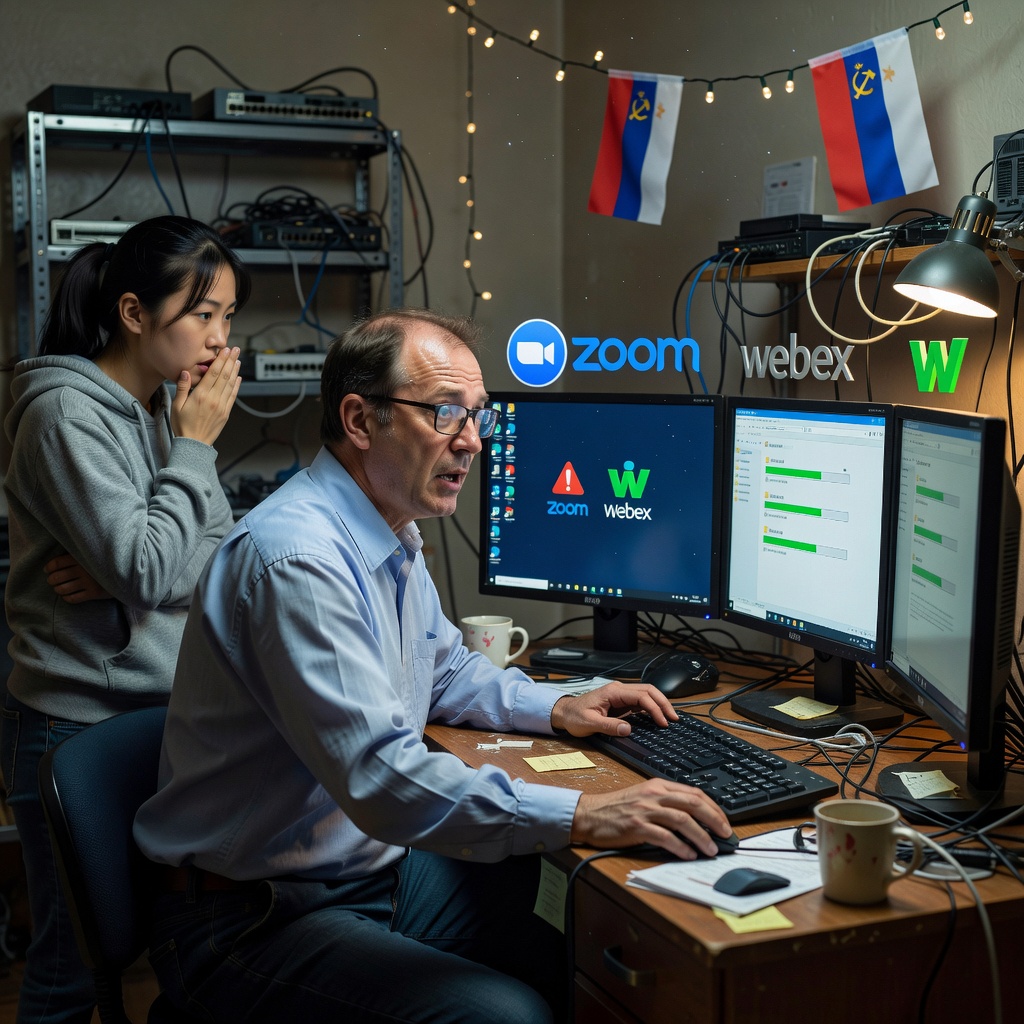
  • Russian Hackers Slip Malware Into Fake Zoom And Webex Downloads

    Russian Hackers Slip Malware Into Fake Zoom And Webex Downloads

    Someone just told me about Russian hackers slipping bad code into Zoom and Webex. It sounds like another round of folks getting tricked by fake app downloads.

    What happened here

    Reports show threat groups tied to Russia have been creating trojanized copies of Webex and Zoom. These fakes look real but carry Starland malware once installed. The goal is data theft from infected machines.

    They target users who search for these apps outside official stores or sites. One click on the wrong link and the malware lands on the system.

    Why this hits regular folks

    Think about your mom on a video call with the grandkids or your neighbor running a small business meeting. These apps are everyday tools. When hackers mess with them it puts personal files and login details at risk.

    No one wants strangers poking through emails or banking info. This kind of attack works because it rides on trust in big names like Zoom and Webex.

    Practical steps that help

    • Always grab Zoom and Webex straight from their official websites or app stores.
    • Double check the download link before you click.
    • Keep your system and antivirus updated so known threats get caught early.
    • If something feels off after an install run a full scan right away.

    Simple habits like these cut the chance of trouble. Big tech companies keep promising better security but the burden still lands on the user to stay sharp.

    Here we go again with supply chain style tricks that prey on normal people just trying to get work done.

    Primary Source: https://www.bleepingcomputer.com/news/security/russian-hackers-trojanize-webex-zoom-apps-to-push-starland-malware/