
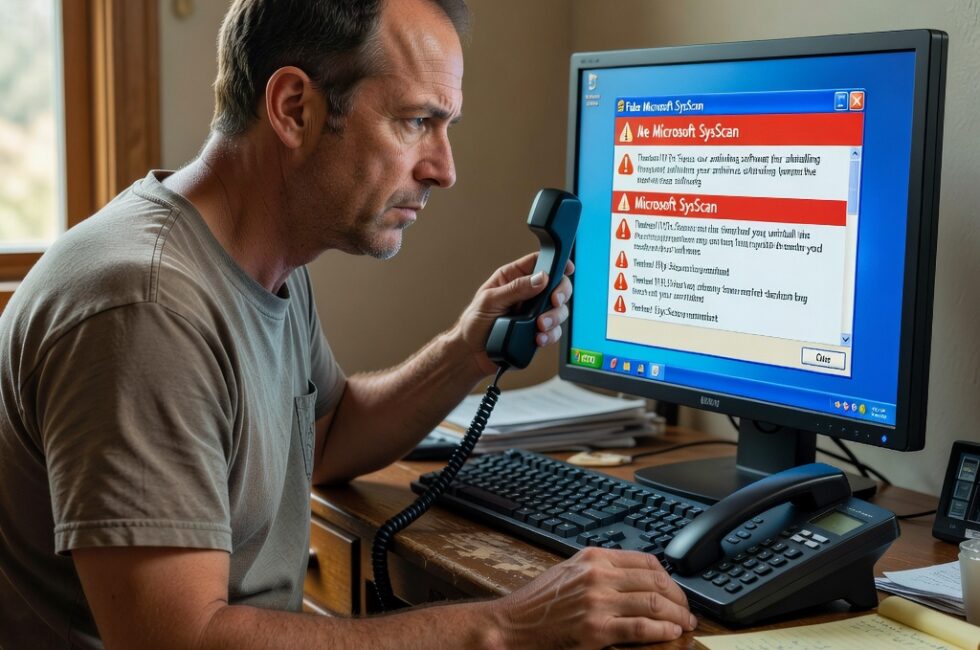
On August 24, 2026, Malwarebytes researcher Stefan Dasic published a report on fake Microsoft-branded security scanners. The scanners invent security problems, tell people to uninstall their antivirus, and then steer them into a refund scam.
That is not Microsoft helping you. That is a con in official paint, aimed at regular folks who just want the yelling on the screen to stop.
What the fake Microsoft SysScan actually does
The phony tool wears Microsoft branding and shows up as SysScan. It runs a scan that is not a real security check. It invents problems so the results look urgent. Then it tells you to uninstall your antivirus.
Once that protection is gone, the operation points you toward a refund scam. Malwarebytes put the write-up under Scams and Threat Intel, and the report includes a short video that sits in the tech support lane.
Why the antivirus uninstall request is the tell
Most people are not reading threat blogs on a Tuesday. They see a blue window, a Microsoft name, and a list of problems. They do what the screen says because they do not want to lose photos, tax files, or the family PC. That is why the costume works.
A real Microsoft support channel does not jump out of a random scanner and order you to delete the software keeping you safe. If a window is begging you to drop your shield, Admiral Ackbar already called it. It is a trap.
What this means if you use a regular Windows PC
The goal is control. First they shake your confidence. Then they get you to rip out the lock on the door. Then they walk you into a refund story. None of that requires you to be careless. It only requires you to be busy and a little scared.
Keep your hands on your own machine. Nobody from Microsoft is going to appear inside a no-name SysScan window and fix your life. And nobody who wants your antivirus gone is on your side.
What to do if this hits your screen
- Close the window. Do not call any number it shows.
- Do not uninstall your antivirus because a pop-up told you to.
- If you already removed it, put real protection back on before you do anything else.
- Treat a Microsoft scan you did not ask for as hostile.
- A real problem from a real tool does not come with a refund pitch.
- When you are not sure, shut the lid and ask a person you actually know.
Big names get borrowed because they work. Scammers know you trust a Microsoft logo more than a stranger in a parking lot. Do not give them that win.
Primary Source: https://www.malwarebytes.com/blog/threat-intel/2026/08/fake-microsoft-security-scans-trick-victims-into-uninstalling-their-antivirus