
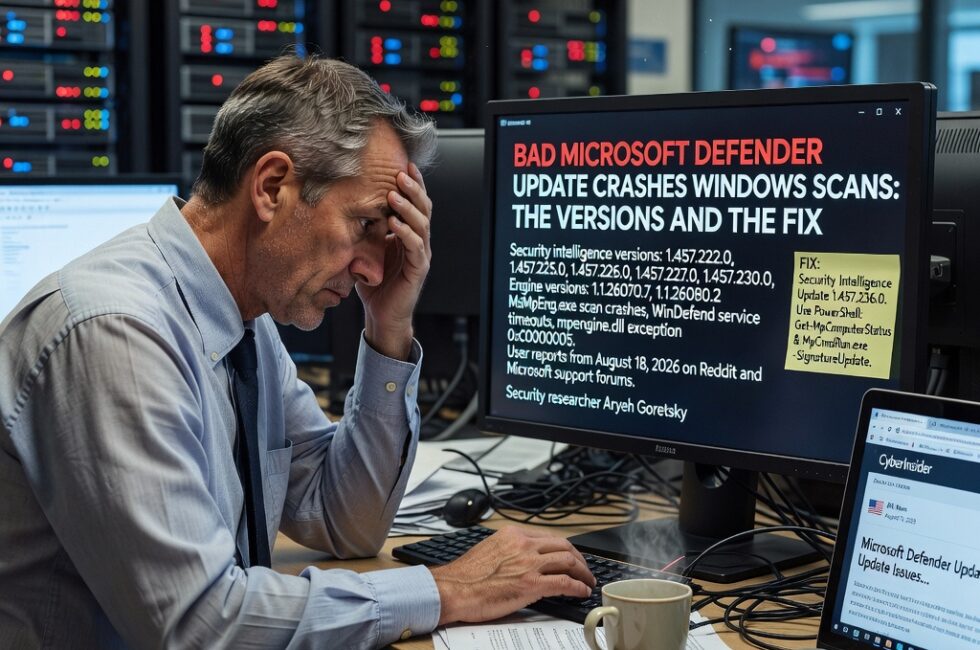
A bad Microsoft Defender security intelligence update started crashing antivirus scans on Windows PCs on August 18, 2026. Quick scans and Full scans stop dead. Offline scans freeze around 90-93 percent. Home users, sysadmins, and people on Microsoft’s own support forum all hit the same wall. This is not malware on your machine. It is a bad update from Microsoft.
Defender is the antivirus that ships with Windows 10 and Windows 11. It is on by default on hundreds of millions of PCs. Businesses run it through Defender for Endpoint. When Microsoft ships a broken definition pack, regular folks and IT shops both feel it. Your computer looks like it is falling apart when the real problem is the tool that is supposed to protect it.
What the crashes look like
You start a scan. It cuts out. Then you get a warning that says Threat service has stopped. Restart it now. Restarting the service usually does nothing.
Reports from system administrators, home users, and Microsoft’s support forum all point at recent Defender updates, not infected PCs. Admins saw the same thing on multiple machines, including clean Windows installs. One sysadmin said MsMpEng.exe, Defender’s antimalware process, was crashing. Another saw WinDefend service timeouts during Quick Scans.
People checking Event Viewer found crashes in mpengine.dll with exception code 0xC0000005, which is an access-violation error. Quick and Full scans failed within seconds or right near the end. Microsoft Defender Offline scans stalled around 90-93 percent. Fresh Windows installs only started failing after the Defender updates landed. That is a pretty clear fingerprint.
The versions that broke it
The detailed reports name Defender engine versions 1.1.26070.7 and 1.1.26080.2, mixed with Security Intelligence versions 1.457.222.0, 1.457.225.0, 1.457.226.0, 1.457.227.0, and 1.457.230.0.
Some folks wondered if this was tied to a recently disclosed Defender vulnerability called ShieldBreak. Nobody in the reports actually showed evidence of that. Speculation is not a diagnosis. Leave it alone until someone proves it.
The fix that actually worked
Security researcher Aryeh Goretsky reported that users who moved to Security Intelligence Update 1.457.236.0 saw the crashes stop. Multiple Reddit users said the same thing on their own, which is about as close to a real-world confirmation as you get when Microsoft has not said a word.
Microsoft had not provided an official explanation in the material reviewed. The newer 1.457.236.0 package is the immediate fix people are seeing.
First move: run Windows Update and confirm Defender’s Security Intelligence version is 1.457.236.0 or newer. Do not skip that step and start tearing your PC apart.
Admins can check versions in PowerShell with Get-MpComputerStatus. If Defender is stuck on a bad definition set, Microsoft’s MpCmdRun.exe tool can dump the dynamic signatures and pull a fresh update:
MpCmdRun.exe -RemoveDefinitions -DynamicSignatures
Then:
MpCmdRun.exe -SignatureUpdate
What you should not do
Do not reinstall Windows because a scan failed. Do not start editing the registry. Reports so far say real-time malware protection may still be running even when manual scans crash. That is not an excuse to ignore it, but it is a reason not to panic.
If you need extra peace of mind, run a second trusted scanner and move on. Organizations should check endpoint health the same way they would for any other broken security tool.
What this means for regular people
You should not have to become a sysadmin because Microsoft shipped a bad antivirus update. That is the whole problem. The default security tool on Windows just stopped doing its job, and the company had not even explained it. If your scans are dying, check the version, pull 1.457.236.0 or newer, and leave the rest of the machine alone.
- Check Windows Update and confirm Security Intelligence is 1.457.236.0 or newer.
- If you manage PCs, run Get-MpComputerStatus in PowerShell and look at the definition versions.
- Stuck on a bad set? Use MpCmdRun.exe to remove dynamic signatures, then run a signature update.
- Do not reinstall Windows or mess with the registry over failed scans.
- Real-time protection may still be active. Verify it, then use another trusted scanner if you need a second opinion.
Primary Source: https://cyberinsider.com/bad-microsoft-defender-update-causes-windows-crashes-on-scans/